

In a world flooded with AI-powered tools and online editors, Fotor has quietly evolved from a simple photo editor into something closer to a creative powerhouse. With the Pro+ plan, it promises not just photo editing, but also AI-driven video creation, video editing, stock resources, and cloud integration—all within a single interface.
But how does it fare against heavyweights like Canva, Photopea, Pixlr, and GIMP? We took Fotor Pro+ for a spin across its web, desktop, and mobile versions to see where it excels—and where it still falls short.
The Evolution of Fotor: Beyond Photo Editing
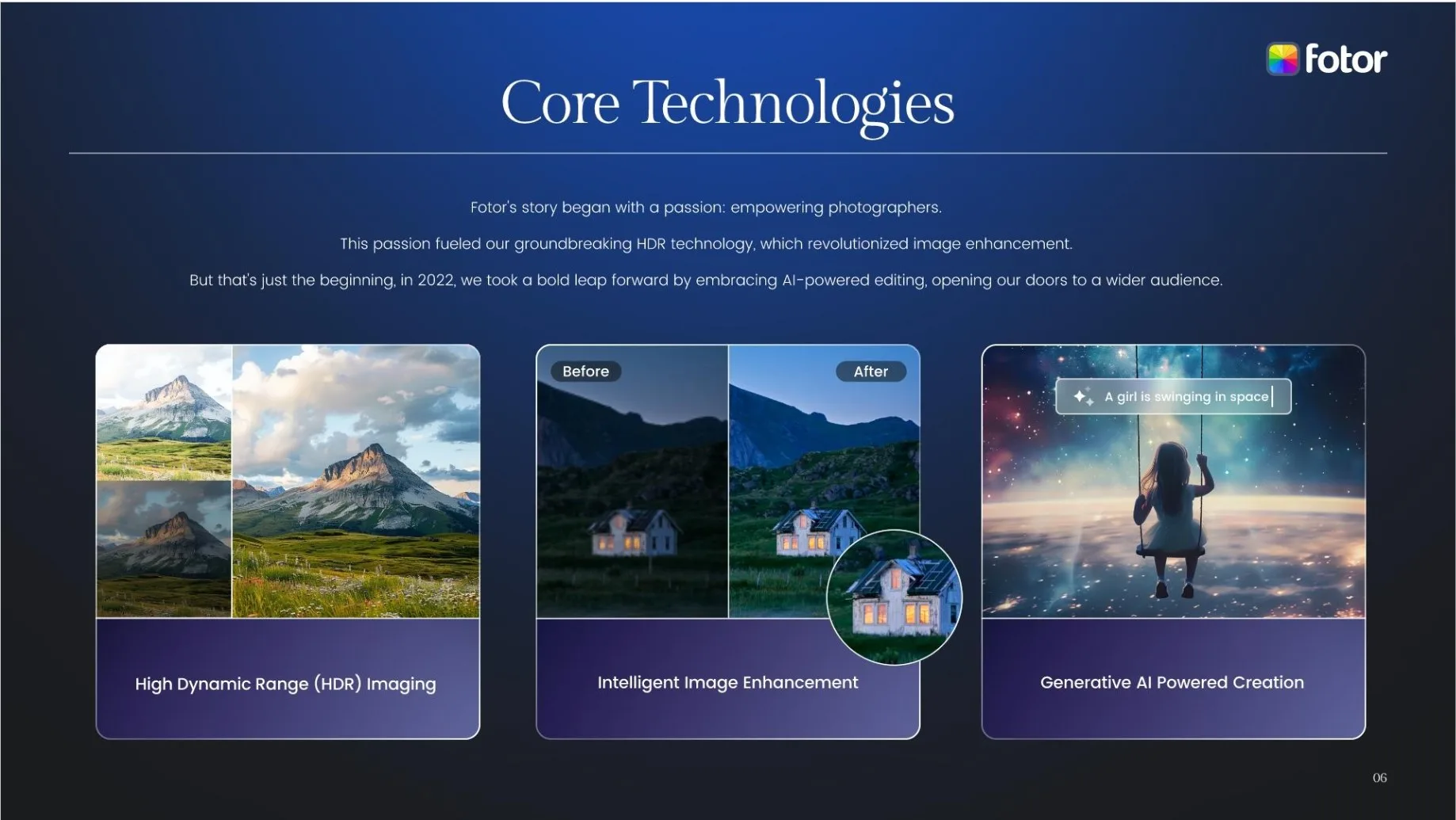
Fotor started as a lightweight online photo editor. Today, it’s evolved into a cross-platform suite blending photo, video, AI, and design tools in one place.
Key Capabilities
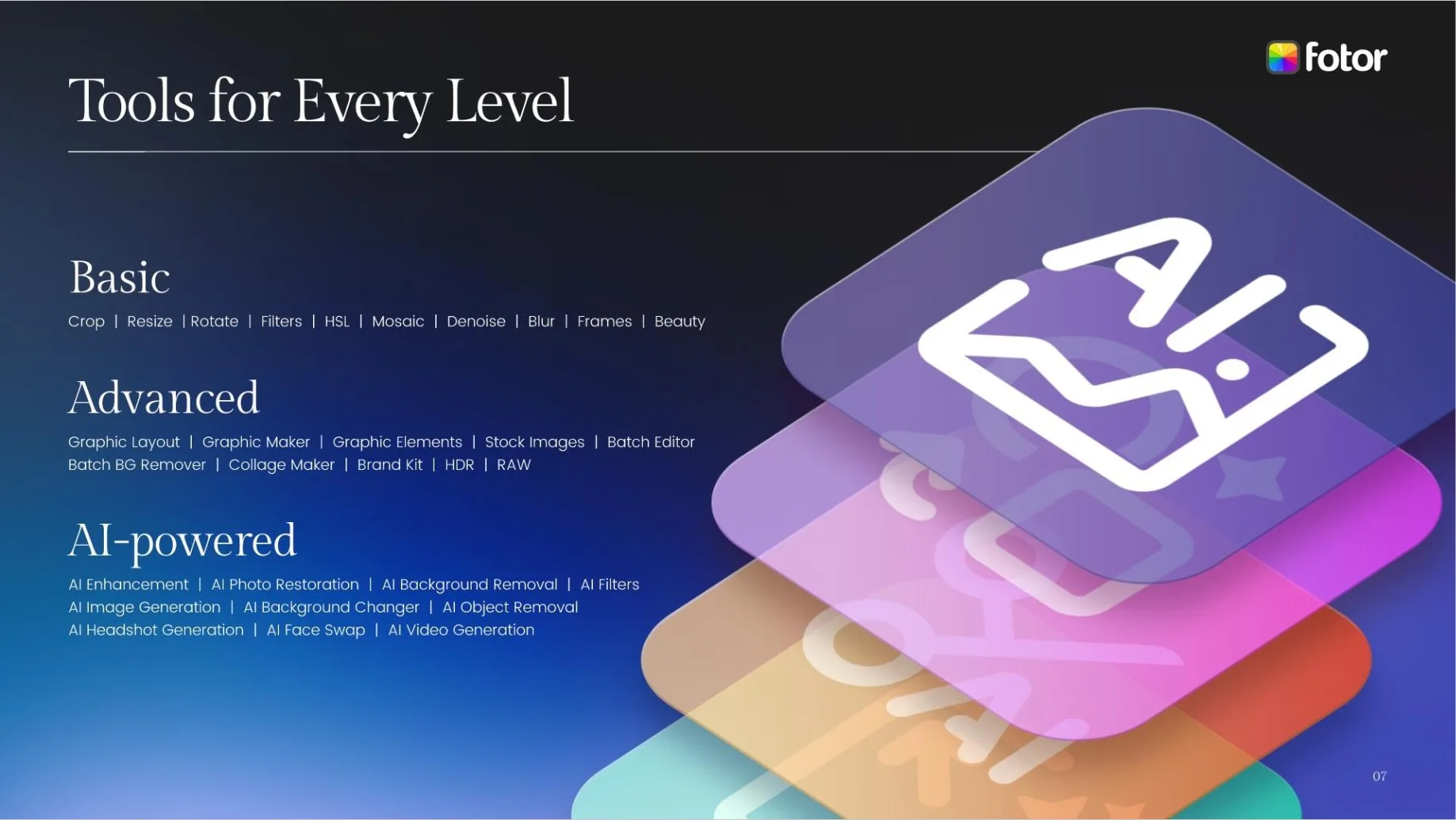
Photo Editing: classic tools (crop, exposure, color tuning), filters, and AI-based adjustments.
AI Effects: background removal, object erasing, upscaling to 4K, image restoration, text-to-image generation.
Portrait Retouching: skin smoothing, blemish removal, teeth whitening, makeup simulation.
Templates & Collages: 100,000+ templates for social posts, ads, and business visuals.
Stock Integration: access to 1M+ high-resolution stock assets in Pro+.
Cross-Platform Workflow: projects sync seamlessly between web, desktop, and mobile apps.
Video Features (Pro+ highlight):
AI video generation from text or images.
AI video editing: brightness, colors, captions, object removal.
AI video enhancer: upscale to 4K, reduce noise, sharpen motion.
Automatic voiceovers, lip-synced AI avatars, and cinematic filters.
This combination of tools makes Fotor stand out as one of the very few platforms in its range to handle both still and moving content natively.
What Fotor Pro+ Unlocks
The free version of Fotor is heavily limited—watermarks, low-resolution exports, and restricted AI usage. Pro+ transforms it into an integrated creative hub: (Check updated prices here : fotor pricing)
| Feature | Free | Pro (~$8.99/mo) | Pro+ (~$14.99/mo) |
|---|---|---|---|
| AI tools | Basic, limited | Full access, 100 credits | Full access, 300 credits |
| HD exports | Watermarked | ✔ | ✔ |
| Stock images | None | 100k+ templates | 1M+ HD images |
| Cloud storage | 500 MB | 2 GB | 10 GB |
| Brand kits | ❌ | ❌ | ✔ |
| AI video generation | ❌ | Limited | Full access |
| Ads removed | ❌ | ✔ | ✔ |
How Fotor Compares to Competitors
Fotor’s real strength lies in versatility. While other editors excel in one domain, Fotor stretches across several: photos, videos, AI effects, and templates.
| Tool | AI Features | Video Capabilities | Ease of Use | Stock Assets | Collaboration | Pricing |
|---|---|---|---|---|---|---|
| Fotor Pro+ | ★★★★☆ | AI video editing + generation, captions, avatars, 4K upscale | ★★★★★ | 1M+ assets | ★★☆☆☆ | ~$14.99/mo |
| Canva | ★★★☆☆ | Basic templates, simple editing | ★★★★☆ | 3M+ assets | ★★★★★ | ~$12.99/mo |
| Photopea | ★★☆☆☆ | ❌ | ★★★☆☆ | ❌ | ★☆☆☆☆ | Free or ~$40/year |
| Pixlr | ★★★☆☆ | ❌ | ★★★★☆ | Limited | ★★☆☆☆ | ~$4.99/mo |
| GIMP | ★☆☆☆☆ | ❌ | ★★☆☆☆ | ❌ | ★☆☆☆☆ | Free |
Where Fotor Stands Out
All-in-One Versatility
Unlike Canva (team-focused) or Photopea (photo-focused), Fotor bridges multiple content formats: photo editing, video creation, templates, and AI image generation—all within a single workspace.AI-Driven Creativity
Fotor’s one-click AI approach removes complexity. Creating dynamic content no longer demands technical expertise: it’s fast, accessible, and consistent.Video + Photo Under One Roof
Among its peers, Fotor is the only editor combining photo editing, AI video generation, video enhancement, and stock integration—making it particularly appealing for content creators and solo marketers.
Verdict
Fotor Pro+ is best for:
Social media creators producing both photos and short-form videos.
Small businesses seeking a single platform for ads, templates, and visuals.
Beginners who want AI-driven creativity without steep learning curves.
It’s less suitable for:
Professional editors needing layer-based workflows or RAW pipelines.
Teams requiring advanced collaboration and asset management.
Cinematic projects needing granular control—Premiere or DaVinci Resolve remain unmatched.
Score: 8.5/10
Fotor Pro+ isn’t just a photo editor anymore—it’s an accessible, AI-powered creative suite for the modern content creator.

 and then